How-to · Developer
How to convert a Unix timestamp to a date in Chrome
The short answer
Paste the number into DevKit's timestamp tab: it auto-detects seconds vs milliseconds and shows ISO 8601, UTC, your local time and a relative "how long ago / until". It converts dates back to epoch seconds too — all offline, inside the popup.
- 1
Copy the numeric timestamp from a log line, API response or JWT claim.
- 2
Open DevKit's timestamp tab and paste it.
- 3
Check the auto-detected unit — 13-digit values are read as milliseconds — and override it if needed.
- 4
Read the ISO 8601, UTC, local-time and relative renderings.
- 5
To go the other way, enter a date string and copy the epoch seconds; the Now button fills in the current moment.
A Unix timestamp is the number of seconds since 1970-01-01T00:00:00 UTC — precise for machines, useless to eyeballs. They're all over log lines, JWT iat/exp claims, API responses and database rows. DevKit is a Unix timestamp converter that runs inside the Chrome popup: paste the number, read the date, and nothing you convert is sent anywhere.
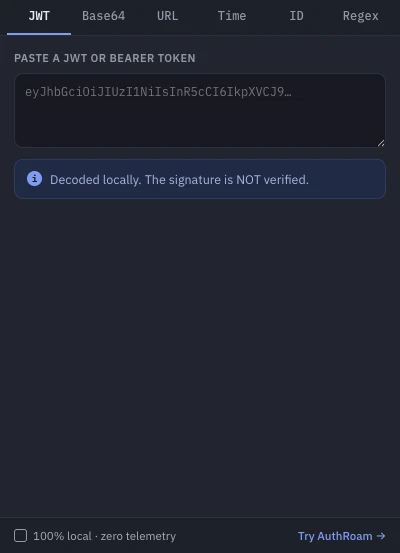
Paste the timestamp
Copy the number from wherever it surfaced and paste it into the timestamp tab. DevKit auto-detects the unit: a 10-digit value reads as seconds, a 13-digit value as milliseconds. The heuristic (anything at or above 1012 is treated as milliseconds) only misfires on genuinely far-future second timestamps, so there's a manual unit override for exactly those cases.
Read it four ways
You get ISO 8601 with milliseconds (2026-07-16T09:30:00.000Z), absolute UTC, the same instant in your local timezone, and a relative label — "in 2 h", "3 days ago". The UTC/local pair is the bug-killer: most "timestamp is wrong" reports are actually timezone confusion, and seeing both renderings side by side settles the question in one glance. The relative label answers the practical one — has this token expired yet?
Convert a date back to a timestamp
The reverse direction works too: enter a date string (ISO 8601, or anything the browser can parse) and copy the epoch seconds. A Now button stamps the current moment in either direction — handy when you're crafting a test payload or need a plausible exp for a fixture.
Seconds or milliseconds — the bug that keeps giving
Mixing the units is the classic timestamp failure: pass seconds where milliseconds are expected and every date lands in January 1970; do the opposite and you're scheduling events for the year 56,000ish. If a date in your UI renders as 1970, you now know exactly what happened — and DevKit's explicit unit display makes the mismatch obvious before it ships.
Offline by design
Conversion happens entirely in the popup. The extension requests no access to any website and makes no network calls; its only permission is storage, used to remember which tool you left open. Timestamps often travel with the data around them — log lines, tokens, user records — so not pasting them into a converter website is a feature, not a footnote. It's free, alongside DevKit's JWT decoder, Base64 and URL converters, UUID/ULID generator and regex tester.