How-to · Developer
How to test a regex in Chrome with an offline regex tester
The short answer
Open DevKit's regex tab, type the pattern, toggle flags and paste sample text — matches, capture groups and named groups update live. A runaway pattern is killed by a worker timeout instead of freezing anything, and your test text never leaves the browser.
- 1
Click the DevKit icon in Chrome and open the regex tab.
- 2
Type the pattern and toggle the flags you need (g, i, m, s, u, y).
- 3
Paste the text to test — real log lines are fine, since nothing is uploaded.
- 4
Read the live match list, including positional and named capture groups.
- 5
If the pattern backtracks catastrophically, the worker times out and tells you — nothing freezes.
The sample text you test a regex against is rarely invented — it's a production log line, an email dump, a slice of customer data. Pasting it into an online regex tester means uploading exactly the text you'd never commit to a public repo. DevKit is a regex tester that runs inside the Chrome popup: pattern, flags and test text all stay on your machine.
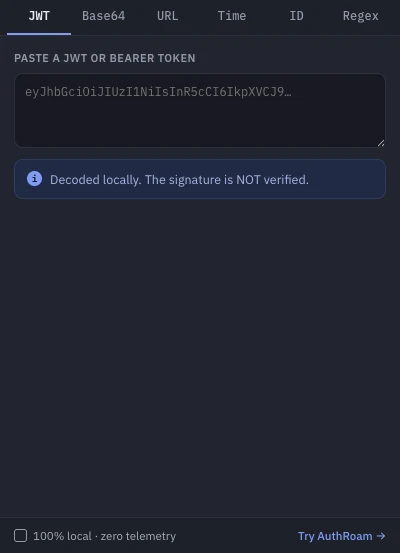
Enter the pattern and pick flags
Open the regex tab and type the pattern. The six JavaScript flags are one-tap toggles: g (all matches), i (case-insensitive), m (^/$ match line boundaries), s (. matches newlines), u (Unicode) and y (sticky). The two you'll reach for most while debugging are i and m — a surprising share of "my regex doesn't match" is one of those two missing.
Paste sample text and read matches live
Paste the text you actually need to match — a real log excerpt beats a sanitized one, and here it's safe to use. Results update as you type: every match is listed with its position, its positional capture groups and any named groups ((?<name>…)), so you can see at a glance whether group 2 grabbed what you intended. Output is capped at 1,000 matches and clearly marked as truncated beyond that, which keeps a greedy pattern on a huge input from drowning the popup.
Runaway patterns can't freeze anything
Some patterns don't fail — they hang. Catastrophic backtracking (the classic is a nested quantifier like (a+)+ against a near-matching string) can pin a CPU core for minutes. DevKit runs matching in a web worker with a timeout: a pattern that blows up is terminated and reported as a timeout while the popup stays responsive. You find out your pattern is dangerous before it ships — the same class of bug that has taken real services down.
Mind the flavor
Honest caveat: this is JavaScript (V8) regex — the same engine as Chrome and Node, so what matches here matches in your frontend and Node backend. If the pattern is headed for Python, Go or PCRE, most syntax carries over but not all of it; re-test in the target engine before you rely on the edge cases.
Private by construction
The extension has no access to any website and makes no network requests; its only permission is storage, which remembers the tool you had open. That's what makes it safe to test against real data. It's free, and the same popup includes a JWT decoder, Base64 and URL converters, a timestamp converter and a UUID/ULID generator.