How-to · SEO
How to check SEO title and meta description length
The short answer
Select the draft title or description and open Word Counter — it compares the character count to the 60-character title and 160-character meta description guidelines, with an ok / near / over status. All counting runs locally; your unpublished copy is never uploaded.
- 1
Select your draft title or meta description — or copy it.
- 2
Click the Word Counter icon; paste into the popup if you didn't select.
- 3
Read the SEO title row against 60 characters and the Meta description row against 160.
- 4
Use the near marker (90% of the limit) as your early signal to stop adding.
- 5
Remember it's a character proxy for a pixel budget — preview edge-case titles in a snippet tool.
A page title that runs long gets cut off with an ellipsis in search results, and a meta description that runs long loses its call to action. The working guidelines are familiar — roughly 60 characters for the title, 160 for the description — but checking every draft against them usually means pasting your unpublished copy into a character-count website. You can skip that: check the length locally, in Chrome, while you write.
Check the draft where you write it
Select the draft title or description text on the page and click the Word Counter icon, or paste the text straight into the popup. The extension reads a selection only when you open it on that tab — it has no background access to any page, and nothing you count is sent anywhere.
Read the SEO rows
The popup's platform-limits table has a row for each guideline: SEO title against 60 characters and Meta description against 160. Each row shows ok, near or over — near starts at 90% of the limit, so 54 and 144 characters respectively — and every state pairs a symbol with its color, so the verdict survives a quick glance. Near is your early trim signal: the sentence still fits, but the next clause probably won't.
Character counts are a proxy — here is the honest version
Google does not truncate titles at a character count; it truncates at a pixel width, around 600px on desktop. A title full of wide capitals can get cut below 60 characters, while a narrow one survives past it. Descriptions are looser still: Google routinely rewrites them when it thinks the page's own text answers the query better. So treat 60 and 160 as guidelines that keep you safe in the common case, not guarantees — Word Counter's info note states plainly that it compares plain character counts. If a title leans on wide characters and sits right at the edge, preview it in a SERP-snippet tool before shipping.
Tune the table to your workflow
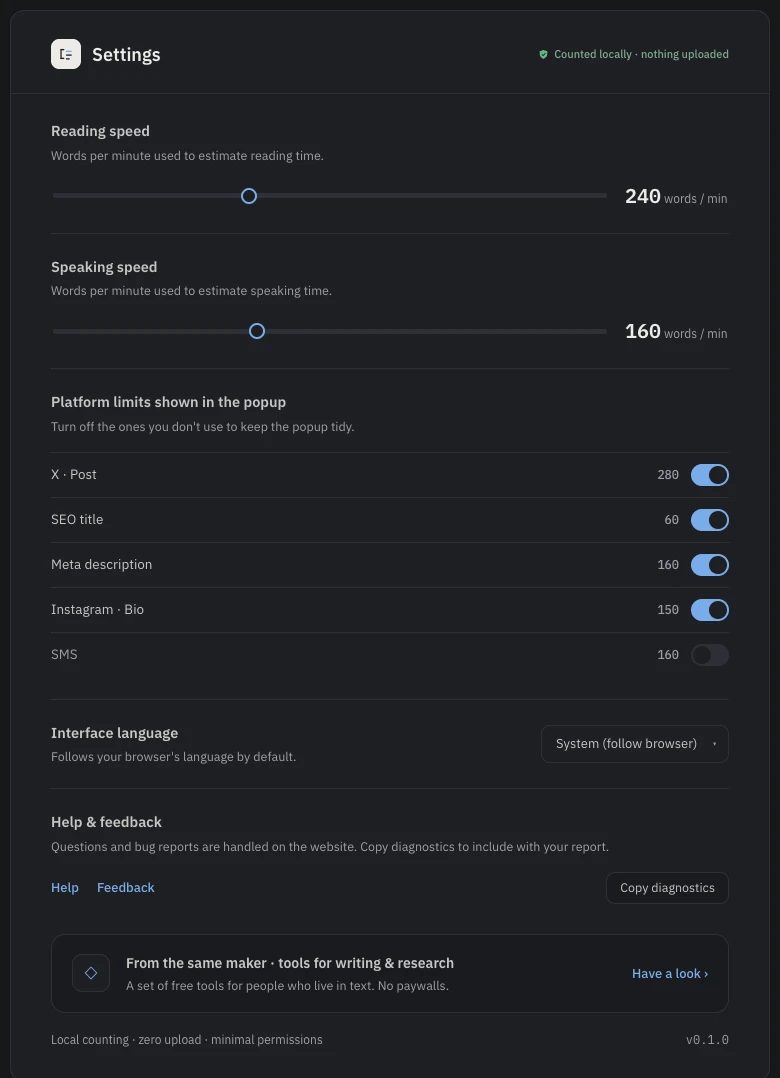
If you only ever check titles and descriptions, hide the other rows. The options page toggles each limit individually — X post, Instagram bio, SMS — so the popup shows exactly the checks you care about and nothing else.
Free, local, no account
There is no paid tier and no sign-up. Counting happens on your device, which means you can safely check pages that aren't public yet — staging copy, unreleased product names, embargoed announcements. And when you need more than lengths, the same popup counts words, sentences and reading time for any selection — see counting words on any web page.